

Animation Tutorials
Step-by-Step Lessons to Help You Learn Animation
Learn animation in a simple, beginner-friendly way. From 2D basics to 3D workflows, these tutorials show you how to animate step by step. Clear explanations, real examples, and practical skills you can use right away. Whether you're just starting or leveling up, you’ll learn exactly how I animate in real projects.
What are Animation Tutorials?
Animation tutorials are guided lessons that teach you how to animate - from the basics of timing and movement to more advanced techniques like rigging, character acting, and 3D workflow.
If you want to learn animation in a way that’s simple, practical, and fun, these tutorials are made for you.
Whether you’re a total beginner or leveling up your skills, you’ll learn methods I use in real professional projects.

What will you learn in these tutorials?
Each tutorial focuses on one clear skill, broken down into small, easy steps:
Fundamentals of Motion - Timing, spacing, squash & stretch
2D Animation Basics - Keyframes, inbetweens, clean lines
3D Animation Essentials - Posing, cameras, simple rigs
Character Animation - Acting, expression, personality
Motion Graphics - Shapes, transitions, smooth loops
Full Mini-Projects - From concept to finished animation
Everything is explained visually, slowly, and clearly.

Who are these tutorials for?
Animation tutorials are perfect for:
Beginners who want to start animating from scratch
Artists switching from drawing to animation
Creators & YouTubers who want better visuals
Students who need simple guidance
Anyone curious about motion design
Animation is one of the most in-demand creative skills across marketing, gaming, and content creation - learning it is an investment in your future.

What you’ll get
Beginner-Friendly Lessons
Clear, simple steps that teach you the fundamentals without confusion.
Multi-Software Workflow
Learn Krita, Blender, Clip Studio Paint, and After Effects.
Project-Based Learning
Every tutorial builds toward a real animation you can add to your portfolio.
Ongoing Updates
New tutorials added regularly based on what students ask for.
Downloadable Files
Reference sheets, project files, or example frames (when available).
Lifetime Usage
You can rewatch the tutorials any time.
Animation Tutorial Types I Offer
You can follow along with any skill level. Each tutorial is step-by-step and beginner-friendly.
-
First steps, hand-drawn animation.
-
Blender basics, simple rigs.
-
Acting, posing, expression.
-
Shapes, loops, transitions.
-
Start-to-finish workflow.
My simple Explainer Video process in 3 steps:


Step 1.
Watch
& Follow
Step 2.
Practice
& Animate
Step 3.
Finish and
Improve
Tools I teach with
I teach the same tools I animate with daily:
Krita for 2D hand-drawn animation
Clip Studio Paint for clean lines and timing
Blender 3D for modeling and animation
After Effects for motion graphics and compositing
DaVinci Resolve for color and final edits
You’ll learn real techniques used in professional workflows.
This workflow combines clean illustration, smooth motion, and polished timing.
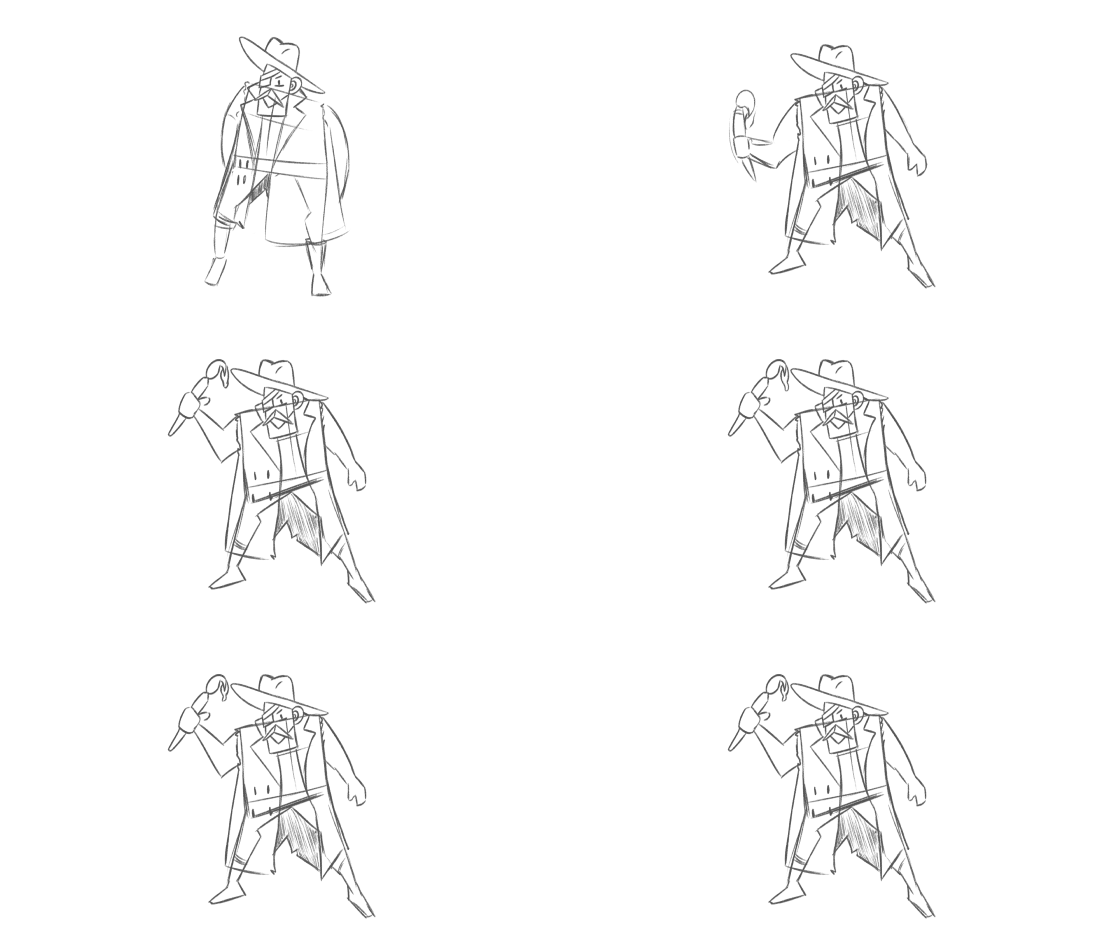
This Cowboy character was animated with Clip Studio Paint EX
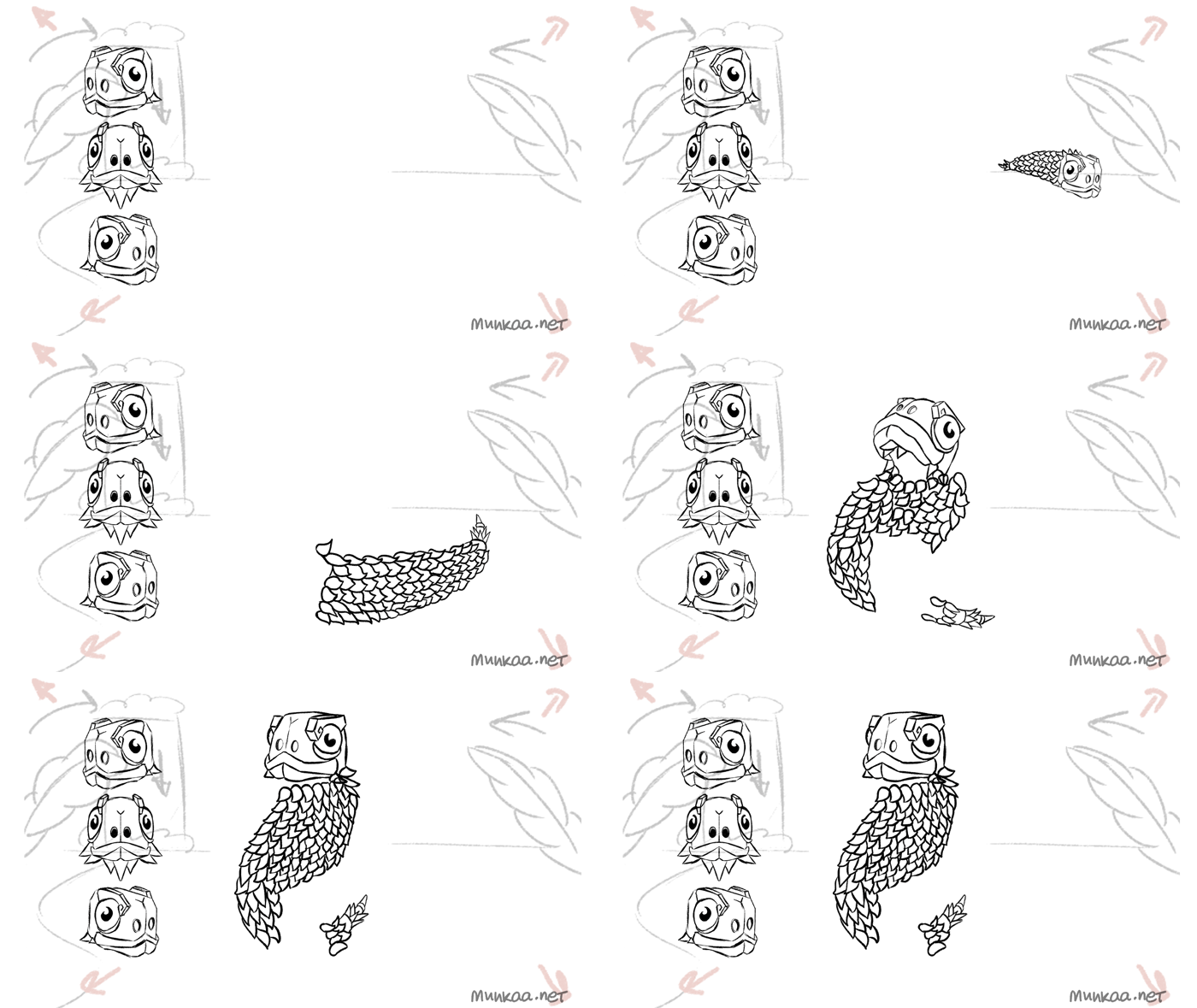
This Snake character was animated frame-by-frame with Krita 5

A work in process of animating a character in Clip Studio Paint EX
Ready to start learning animation?
Whether you want to draw your first bouncing ball or animate a full character, these tutorials are designed to guide you from beginner to confident animator.
You can email me at munkaa.artist@gmail.com or contact me via the button below.

Who I’ve worked with
Over the past few years, I’ve animated explainer and marketing videos for YouTubers, including Einzelgänger, education platforms, tech startups, NGOs, and design studios.You can find more examples on my Portfolio page.
Frequently asked questions
-
No. The tutorials are made for complete beginners.
-
Krita or Blender are perfect starting points - free, lightweight, and beginner-friendly.
-
Yes. Many lessons can be done with a mouse. A tablet is optional but helpful.
-
For many lessons, yes - reference sheets or example animations are included.
-
Absolutely. You can send requests, and I can create tutorials based on what you want to learn.
-
Most tutorials are 10-30 minutes long, and you can pause, rewind, or rewatch them at any time while you practice.
-
Not necessarily - beginner 2D and basic 3D lessons run smoothly on most laptops. Only advanced 3D rendering requires stronger hardware.